Kits
A kit is a set of tools and consumables that you move as one. You check a kit out to a person or a job site, and you check it back in when it comes home.
Kits are part of every plan.
Who can do this: Staff create kits and add, replace and remove members. Staff can check a kit out to anyone. Everyone except viewers can check a kit out to themselves. Staff, or the person holding the kit, can check it in.
Create a kit
Section titled “Create a kit”- On the Kits page, select Add kit.
- Enter the Name and the Description.
- Choose the Home. This is a location or a bin. Check-in returns the kit home.
Add members
Section titled “Add members”- Open the kit and select Add to kit.
- Choose A tool and scan or search for it. Or choose A consumable and enter a quantity.
A tool can be in one kit only. A consumable can be in a kit once.
To swap a member, select Replace. You can pick another tool, a new quantity, or a different consumable.
Remove a member
Section titled “Remove a member”- Select Remove.
- Answer Why is it leaving? with Taken out on purpose or Lost. You must choose one.
The member stays in the kit’s history. Kit members are never deleted.
Check a kit out
Section titled “Check a kit out”- Open the kit. Select Check out to me, or select Check out to… (staff only).
- Choose a person or a job site. You can’t pick a location, because check-in brings the kit home.
- Add a due date if you need one. You can also pick a Job (optional).
QuipTrak refuses the whole kit if any tool is not available. You may also see “This kit is already checked out.”
Consumables travel with the kit. They are moved, not used up.
Each tool keeps its own holder. If some tools are with someone else, the kit page shows “Here” or “Not here” for each member.
A kit can’t be archived while it is out.
Check a kit in
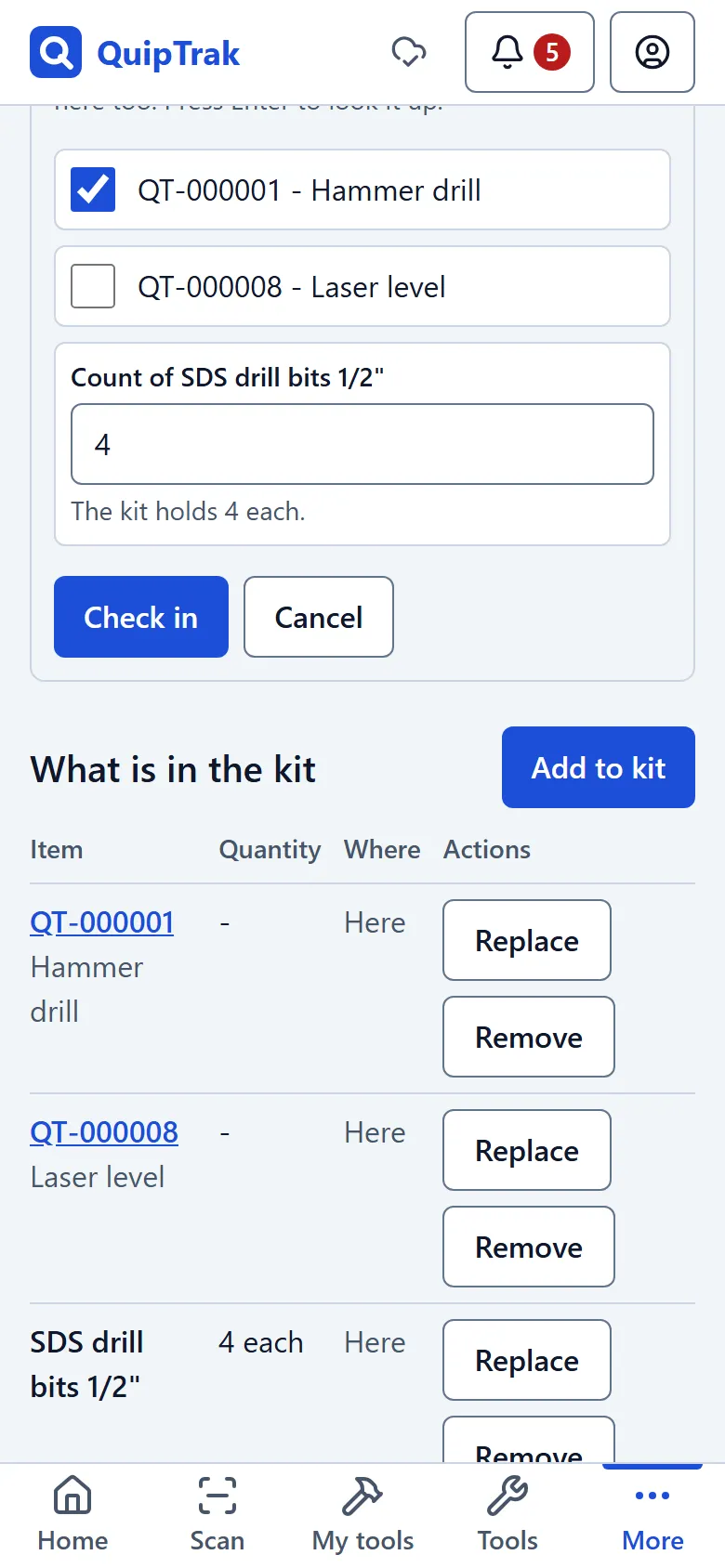
Section titled “Check a kit in”- Open the kit and select Check in. A checklist opens.
- Scan each item. If you can’t scan one, tick it by hand.
- Count the consumables.
- If any items are not ticked, QuipTrak shows “Some items are missing”. It says those items will be flagged missing and stay with their holder. Select Check in anyway to finish.
Owners and admins are told about missing items. Short consumables are flagged too.
If a missing tool turns up later, check it in as normal.